
Paid in Full: Debt Free Date
Voyez votre date sans dettes, ce que coûtent intérêts et frais, et suivez chaque paiement.
- IOS
- ANDROID
- Utilitaire
- Disponible


À propos de Paid in Full
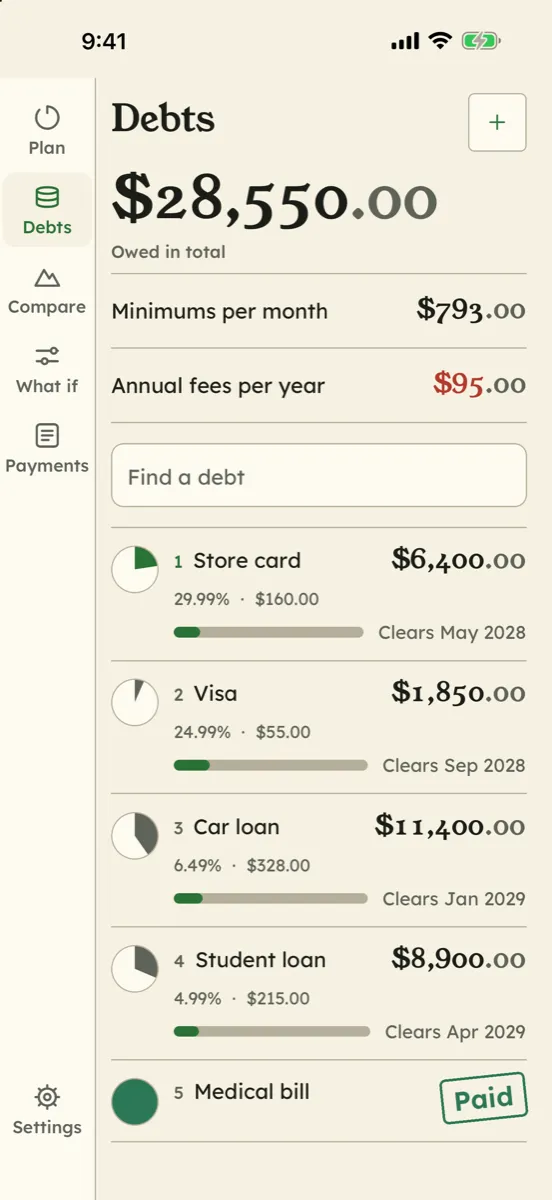
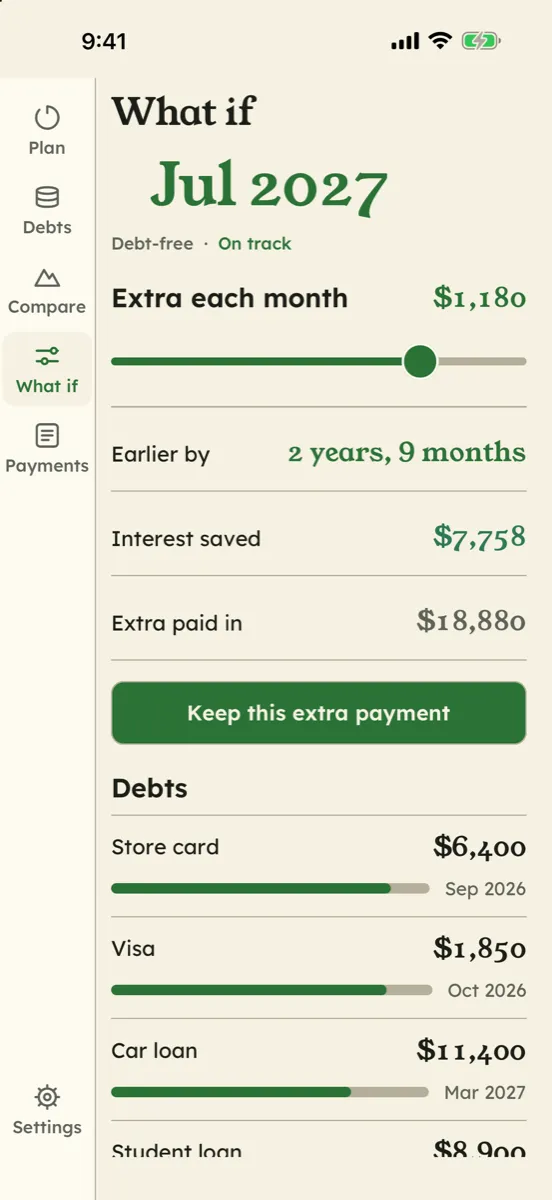
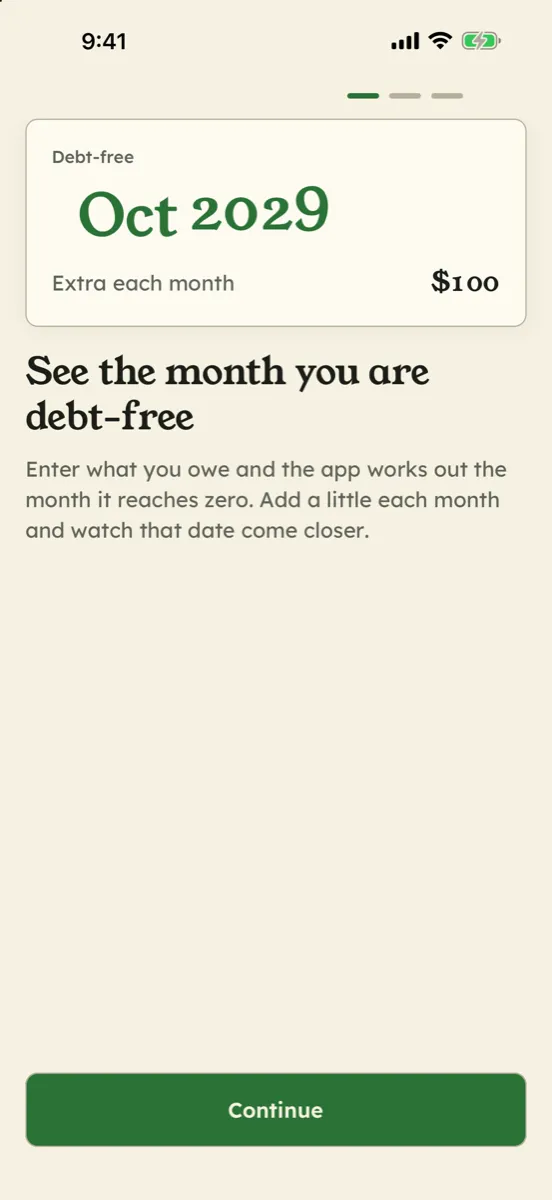
Saisissez ce que vous devez — solde, taux, mensualité minimale et d’éventuels frais annuels ou de retard — et Paid in Full vous répond par le mois où vous serez sans dettes. Il montre ce que coûte la dette : les intérêts du mois, les intérêts et frais à venir, et la comparaison de votre plan avec les seuls minimums, par dette et au total. Faites glisser un curseur de versement supplémentaire et regardez la date bouger. Comparez boule de neige et avalanche côte à côte. Notez vos paiements, ainsi que les intérêts et frais de vos relevés, et suivez le plan face à la réalité, avec des étapes et l’historique de chaque changement de date. Sans connexion bancaire ni compte : tout reste sur votre appareil. Des estimations, pas un conseil financier.
Fonctionnalités
Votre date sans dettes, bien en vue
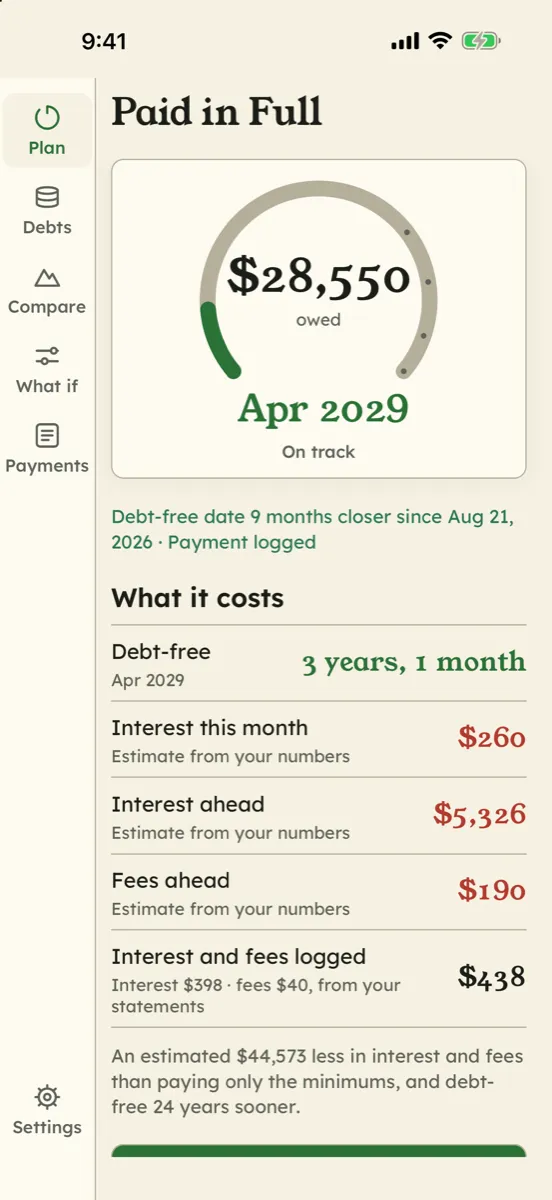
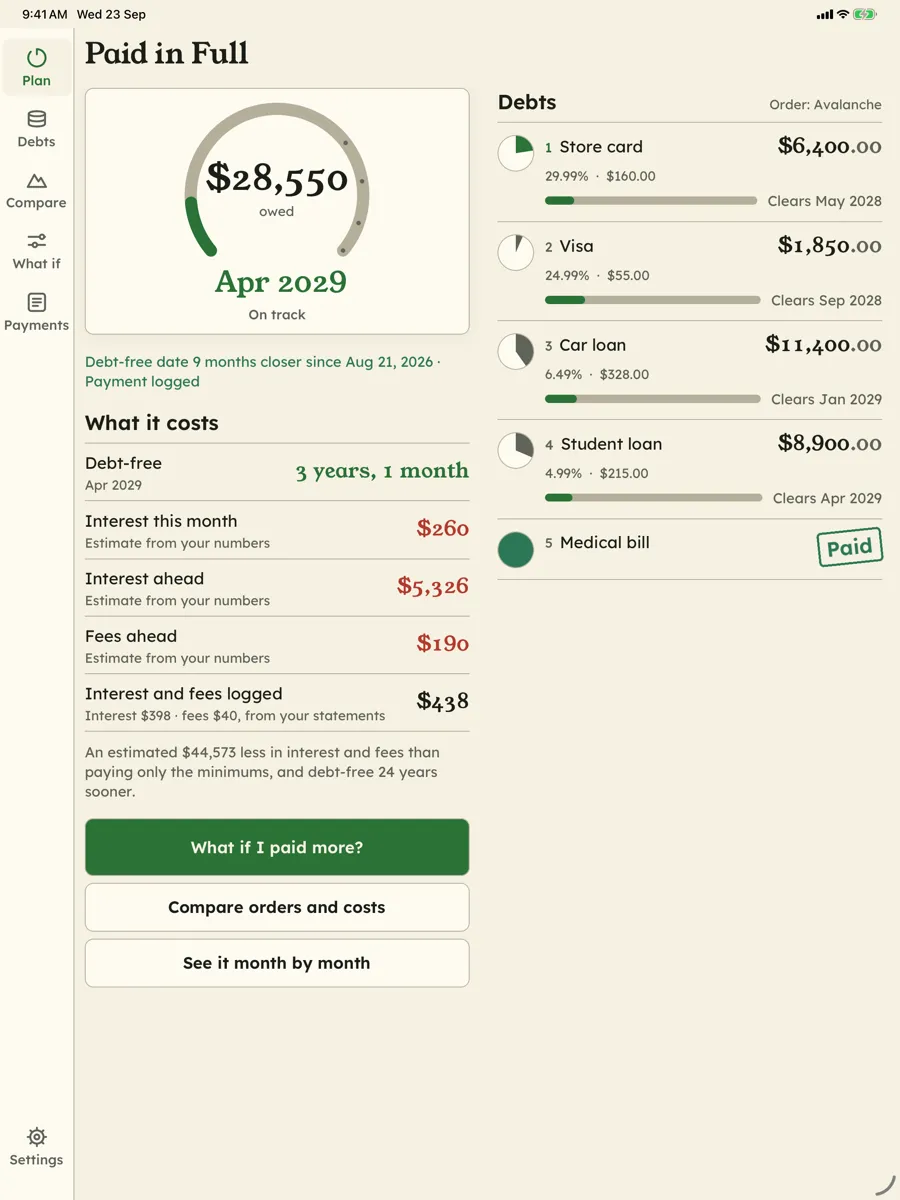
La page Plan répond par un mois — celui où votre dernier solde tombe à zéro — dans un anneau qui se remplit à mesure que les dettes baissent, avec, juste en dessous, la dernière fois que cette date a bougé et pourquoi
Ce que la dette vous coûte
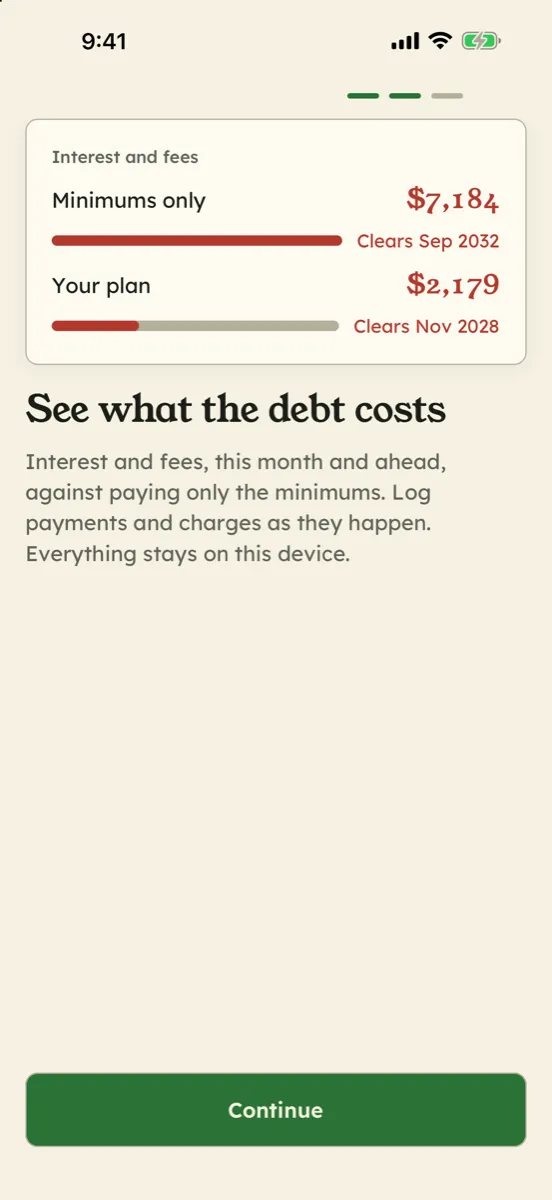
Les intérêts du mois, les intérêts et frais encore à venir, et les intérêts et frais que vous avez notés d’après vos relevés. Les frais annuels d’une carte sont prélevés chaque année, le mois prévu, tant que la dette est ouverte, et les frais sont toujours affichés à part des intérêts. Le tout présenté pour ce que c’est : une estimation
Votre plan face aux seuls minimums
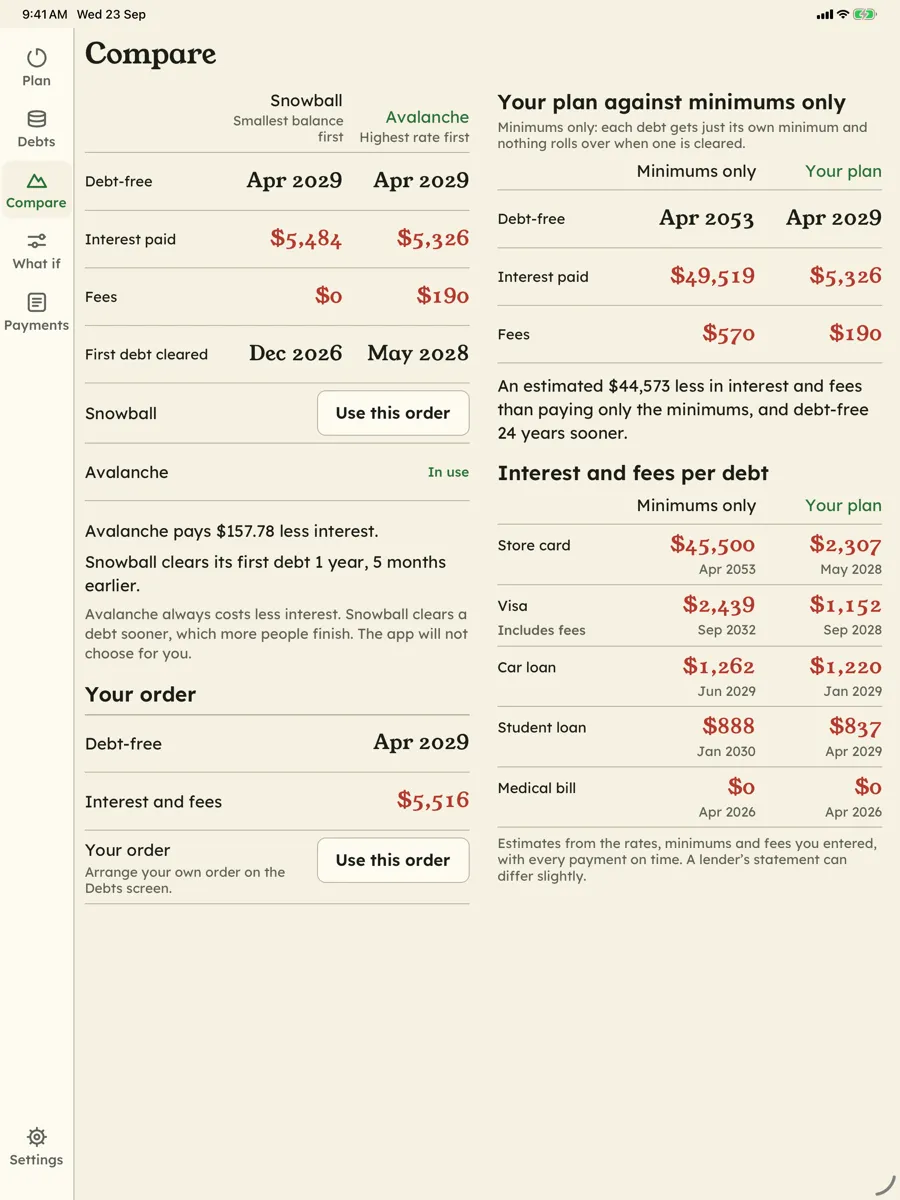
Voyez ce que coûterait en intérêts et frais le paiement des seuls minimums, par dette et au total, et combien de mois plus tard vous en auriez fini — à côté du plan que vous suivez réellement
Boule de neige, avalanche ou votre propre ordre
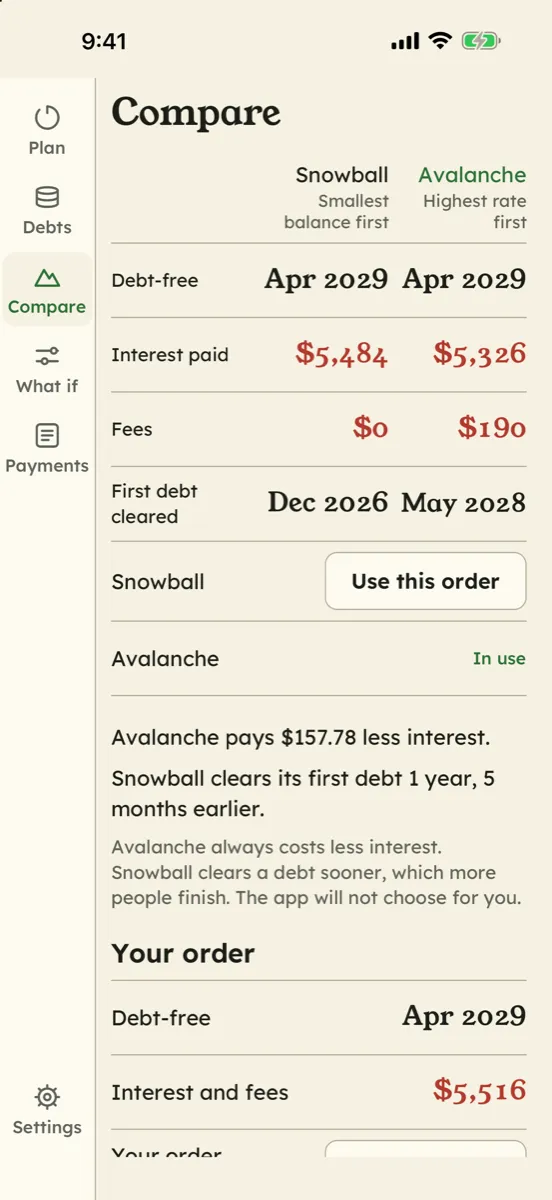
Le plus petit solde d’abord contre le taux le plus élevé d’abord, côte à côte avec le mois sans dettes, les intérêts, les frais et la première dette soldée. Le compromis est expliqué clairement et l’app ne choisit pas à votre place
Suivez chaque paiement et chaque prélèvement
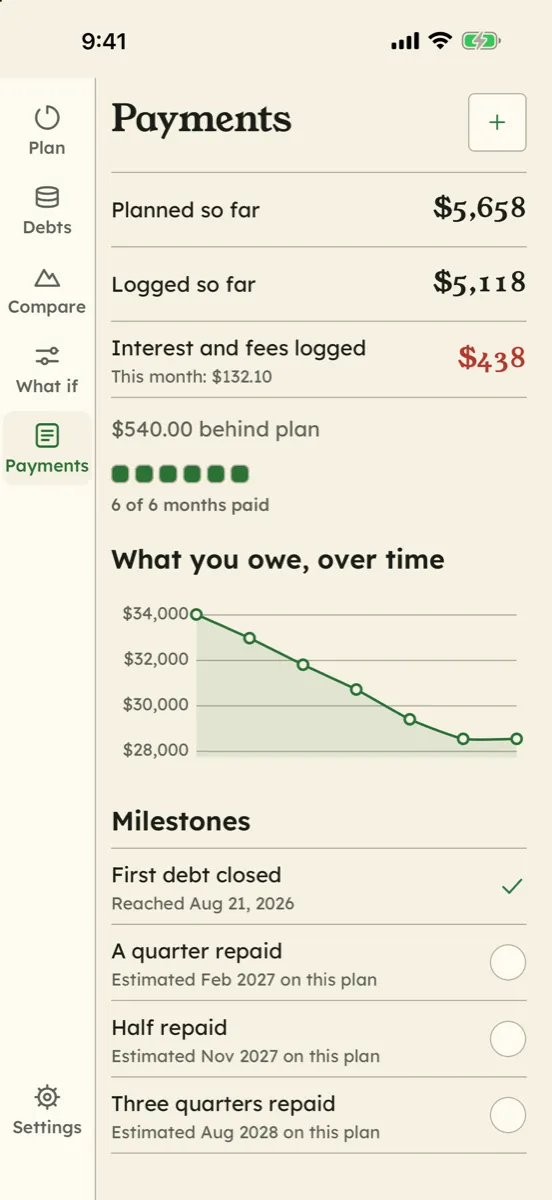
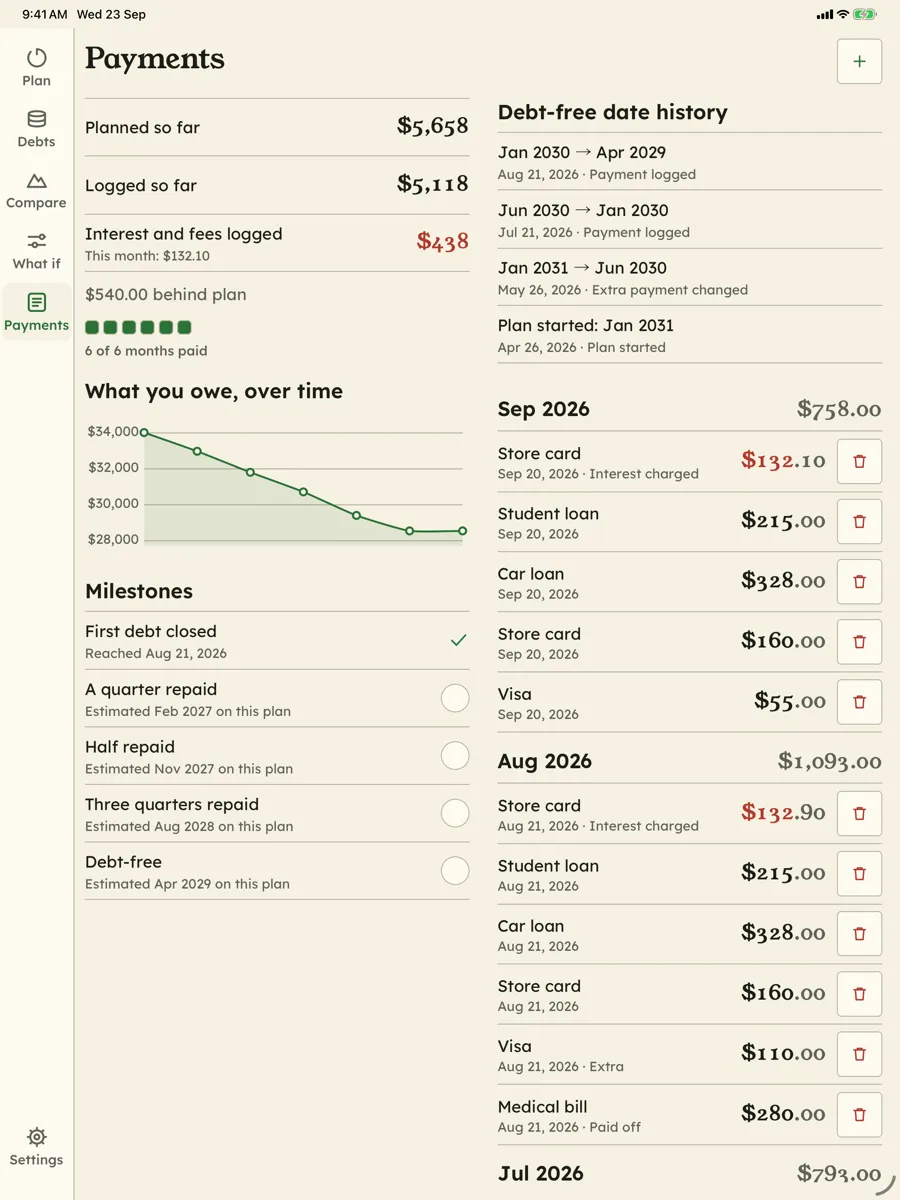
Notez vos paiements, ainsi que les intérêts et frais de vos relevés. Suivez le plan face à la réalité, avec des barres de progression, un graphique de ce que vous devez, des étapes — première dette soldée, un quart, la moitié, trois quarts — et l’historique de chaque changement de date
Vos données restent sur votre appareil
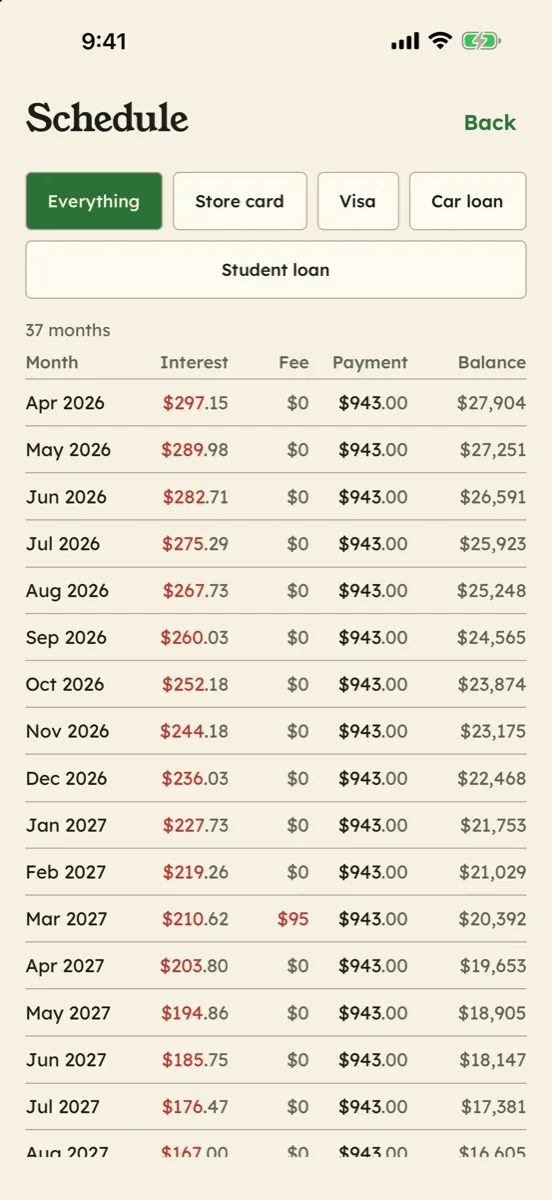
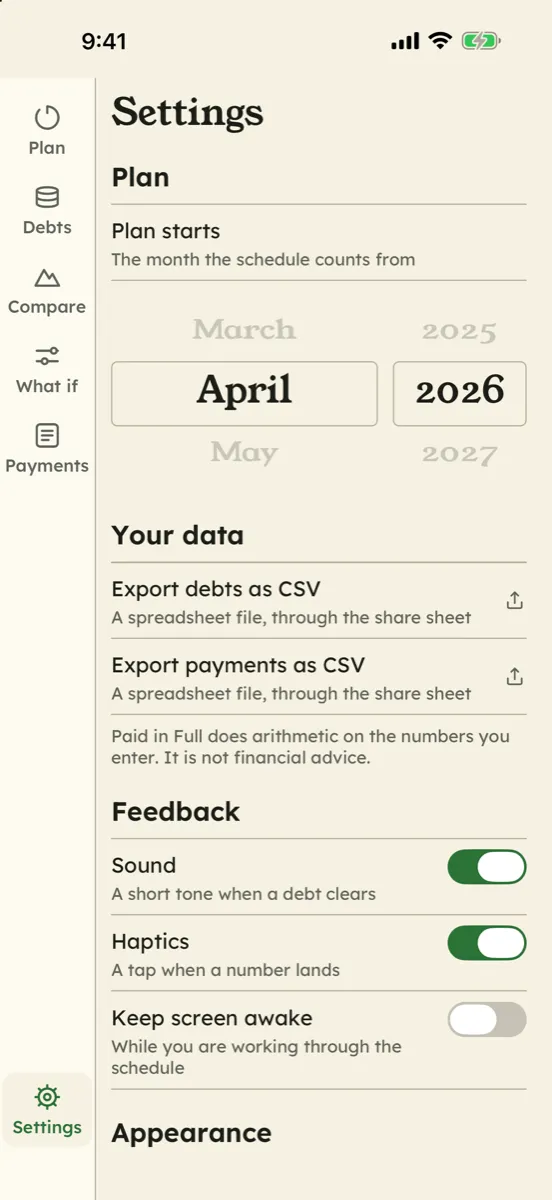
Sans connexion bancaire, sans compte, sans serveur. Exportez vos dettes, vos paiements et l’échéancier complet en CSV, et effacez tout depuis les Réglages en une seule étape. Des centimes entiers partout, rapprochés au centime près
Captures d'écran
Le descriptif détaillé ci-dessous n'est pas encore traduit et s'affiche en anglais.
About Paid in Full
Most debt apps answer a question nobody asked: how much do you owe? You already know that — it is the number you avoid looking at. Paid in Full answers the one you actually want answered, when does this end, and what is it costing me?, and then lets you push that date around.
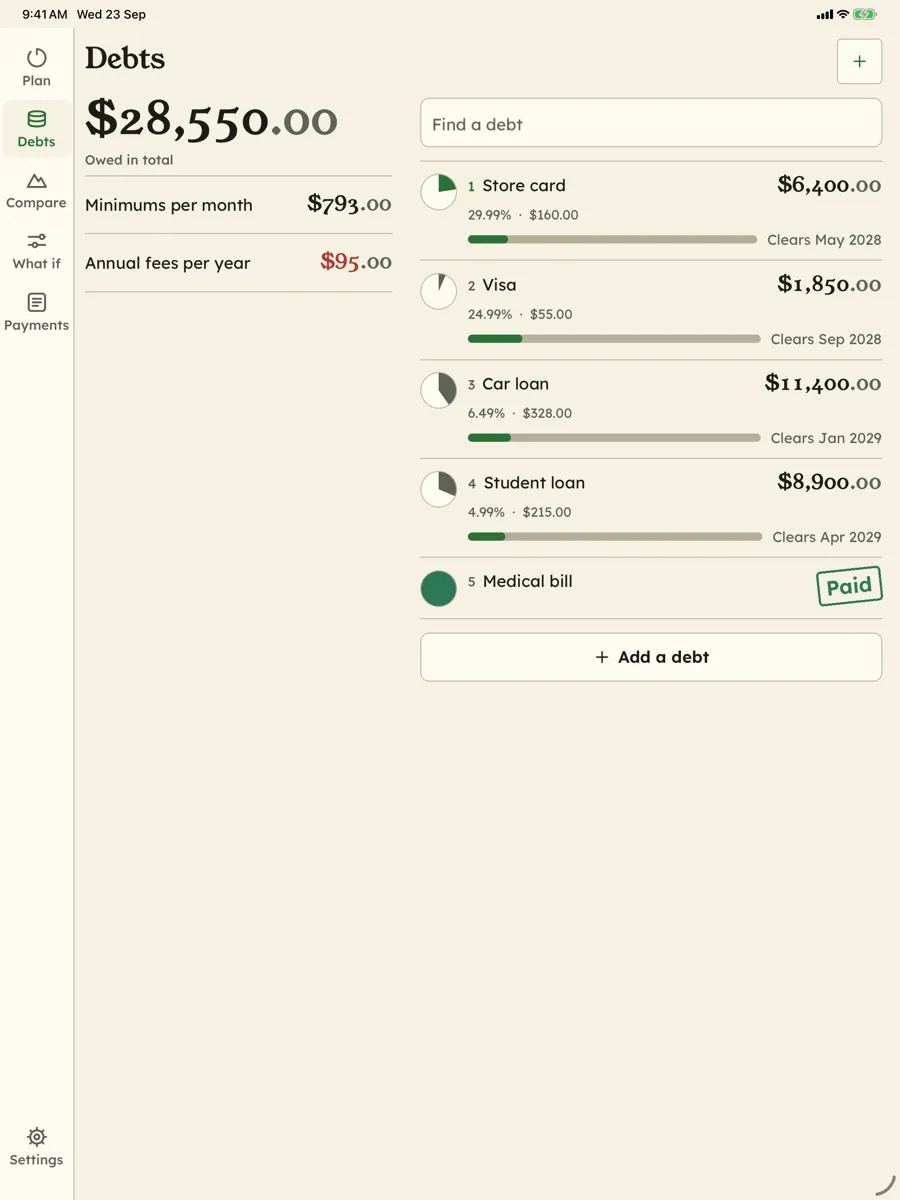
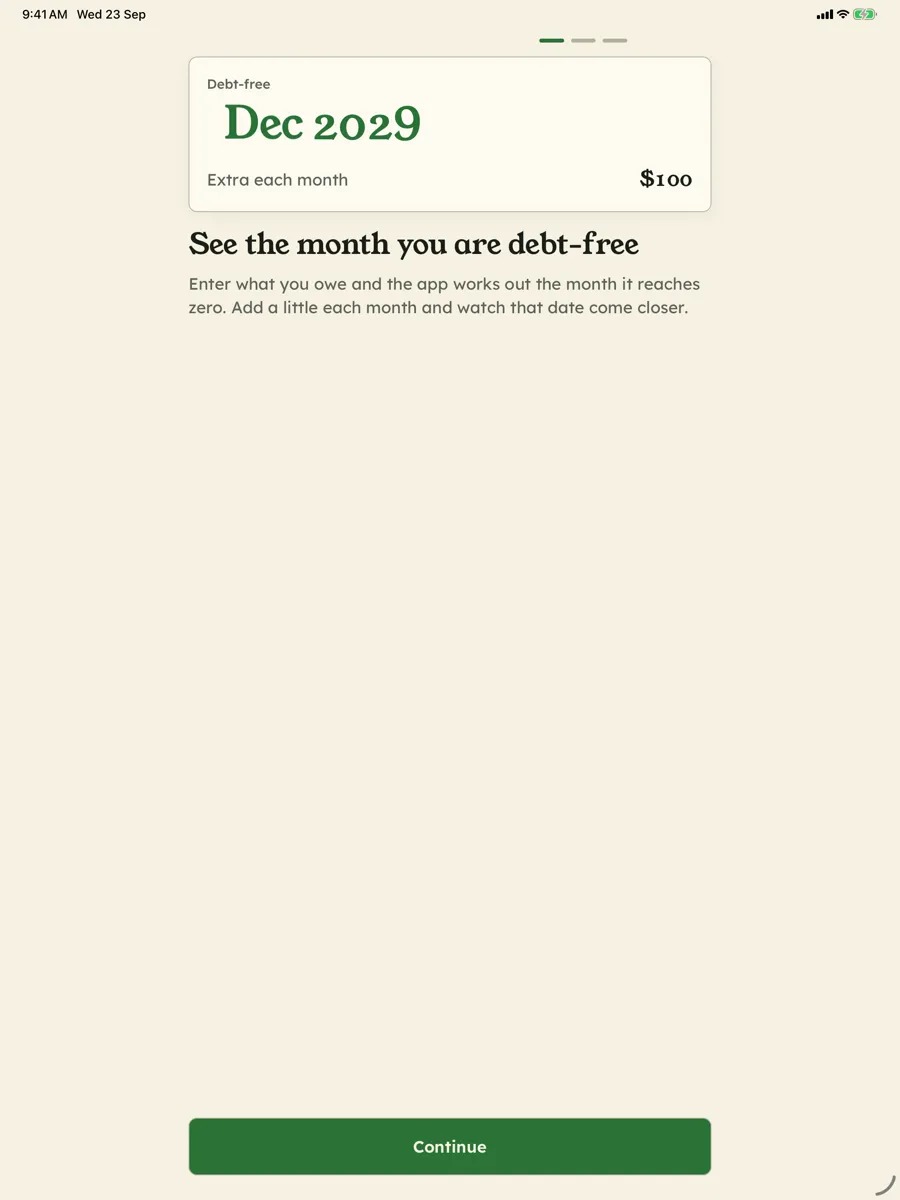
Enter each debt: name, balance, interest rate, minimum payment, currency, and — if they apply — a promotional rate, an annual fee and a late fee. The Plan page replies with a single month inside a ring that fills as your debts come down, and under it, the last time that month moved and what moved it.
What it costs, in two numbers, never one
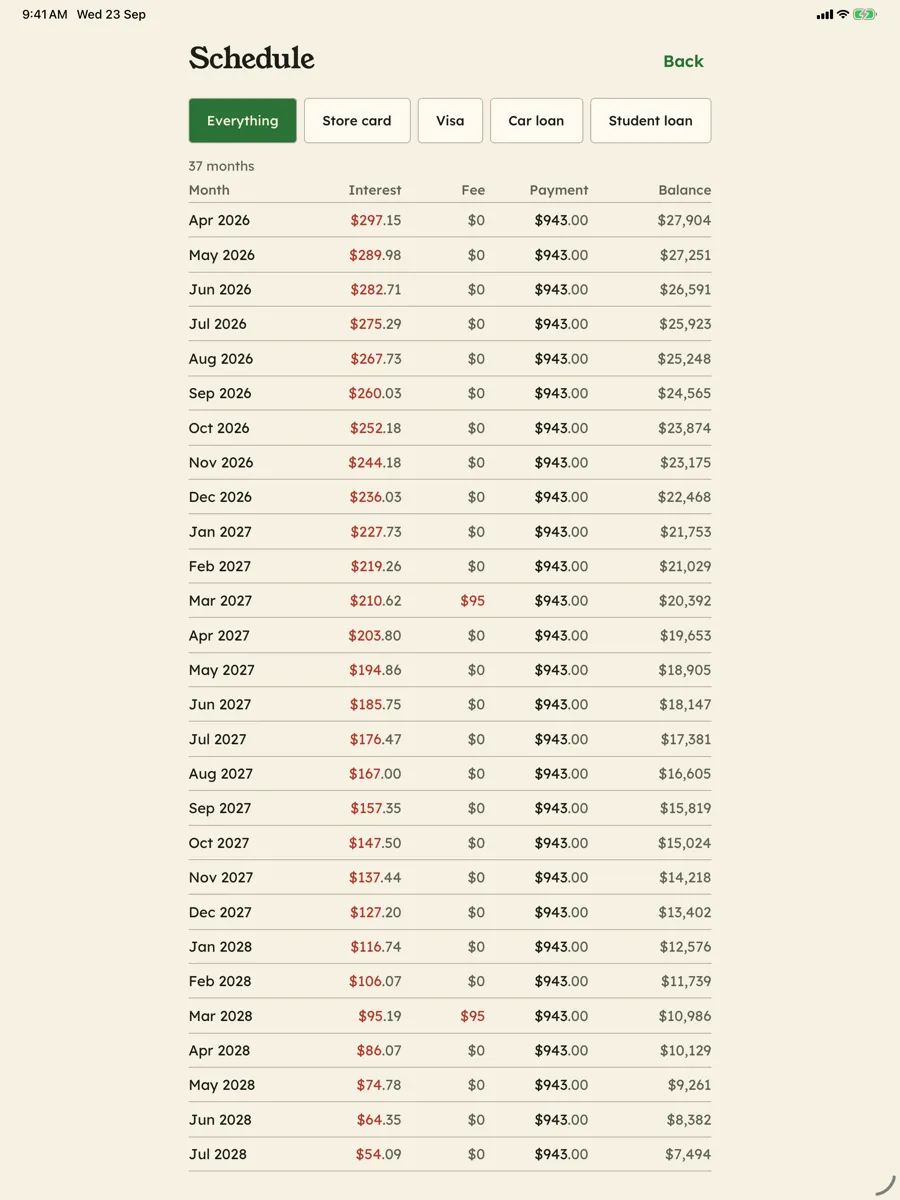
Interest and fees are different things, and a single “cost” figure hides the one you can often do something about. So the app keeps them apart everywhere: interest this month, interest still ahead, and fees ahead — a card’s annual fee is charged in its month, every year the debt is still open. Copy the interest and fees off your statements into the payment log and the app keeps a running total of what the debt has actually cost you so far.
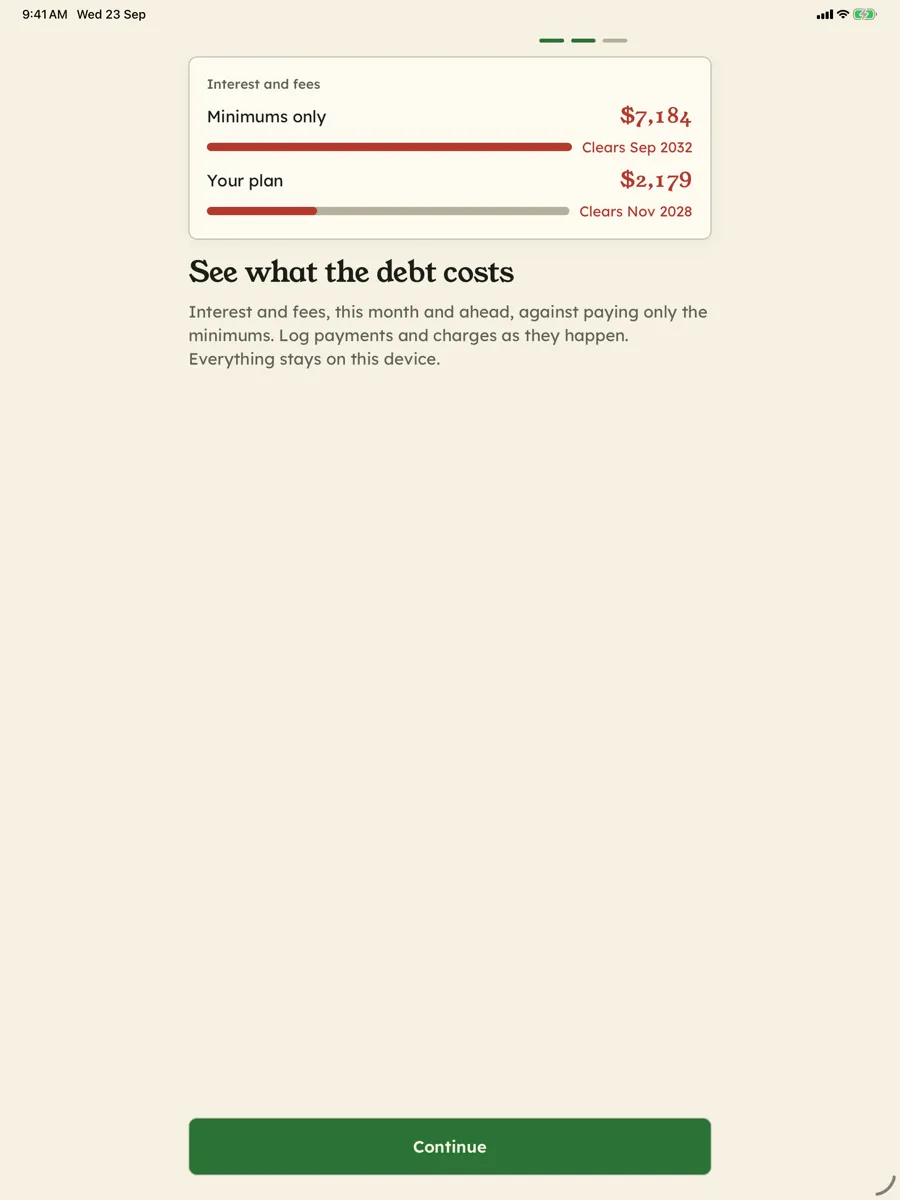
Then it puts your plan next to the one you are on without a plan: paying only the minimums, where each debt gets its own minimum and nothing rolls over when one is cleared. Interest and fees on each, per debt and in total, and how many months apart they finish. Every figure is an estimate from your numbers, and the page says so.
Why the simulator is the whole app
The date on its own is information. The date moving is the product.
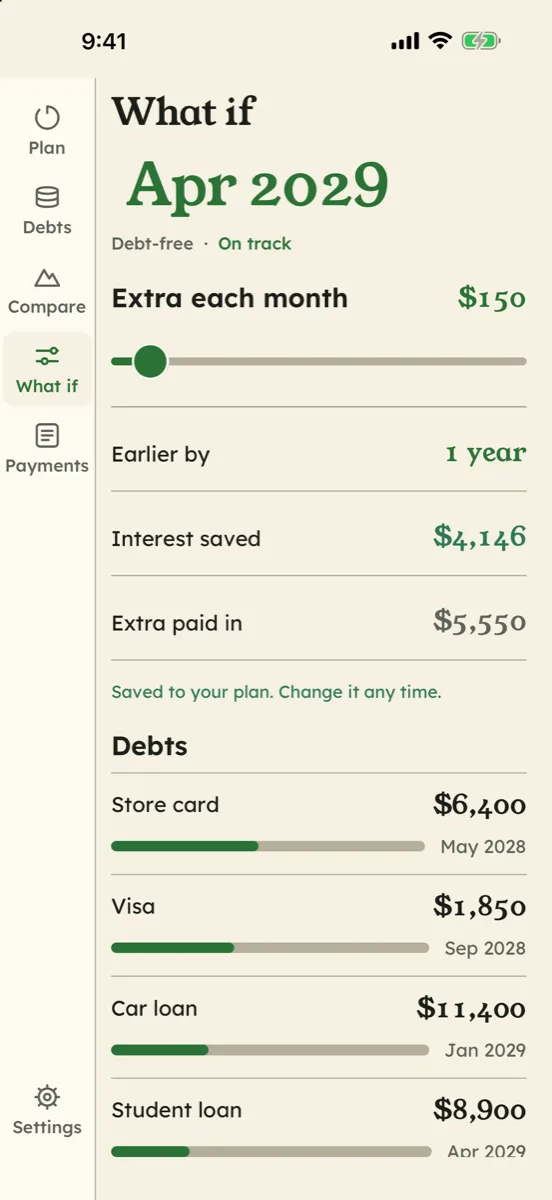
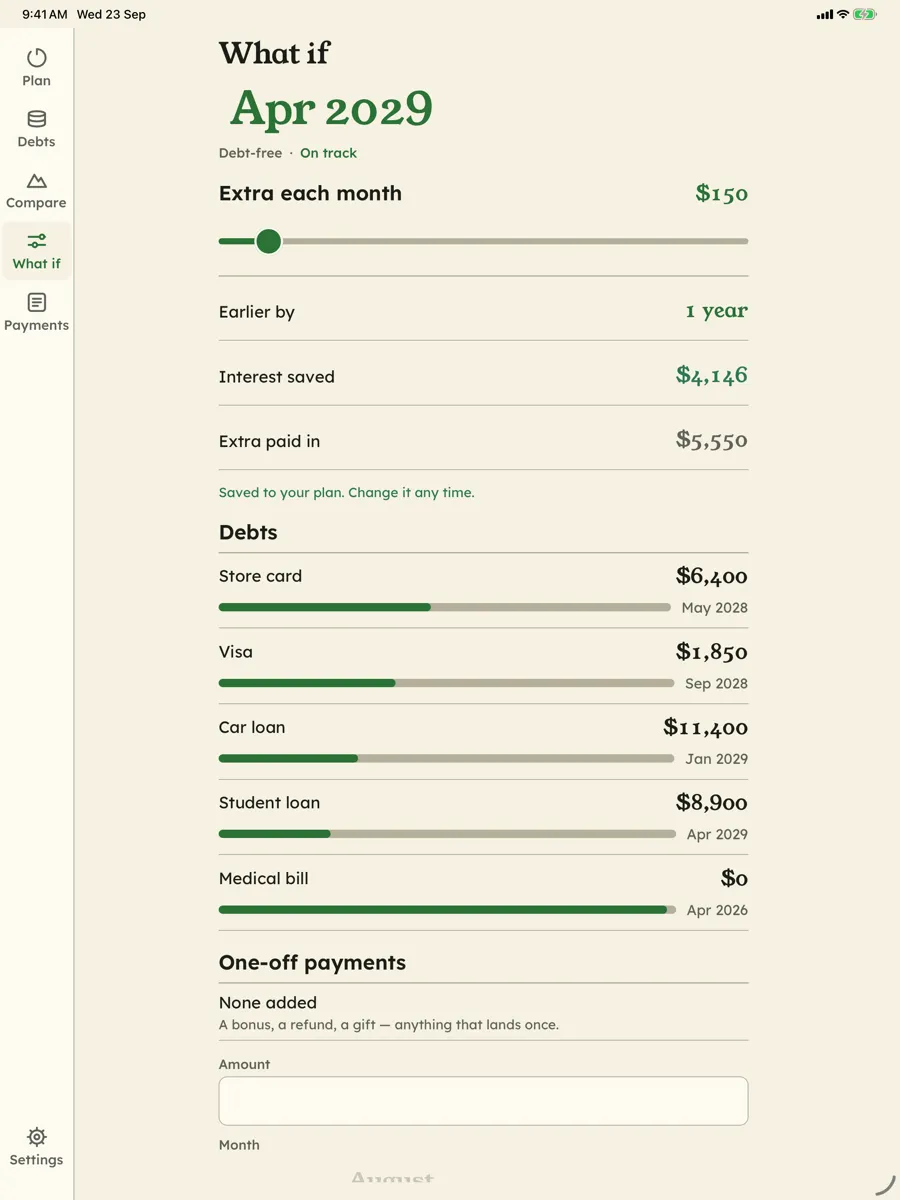
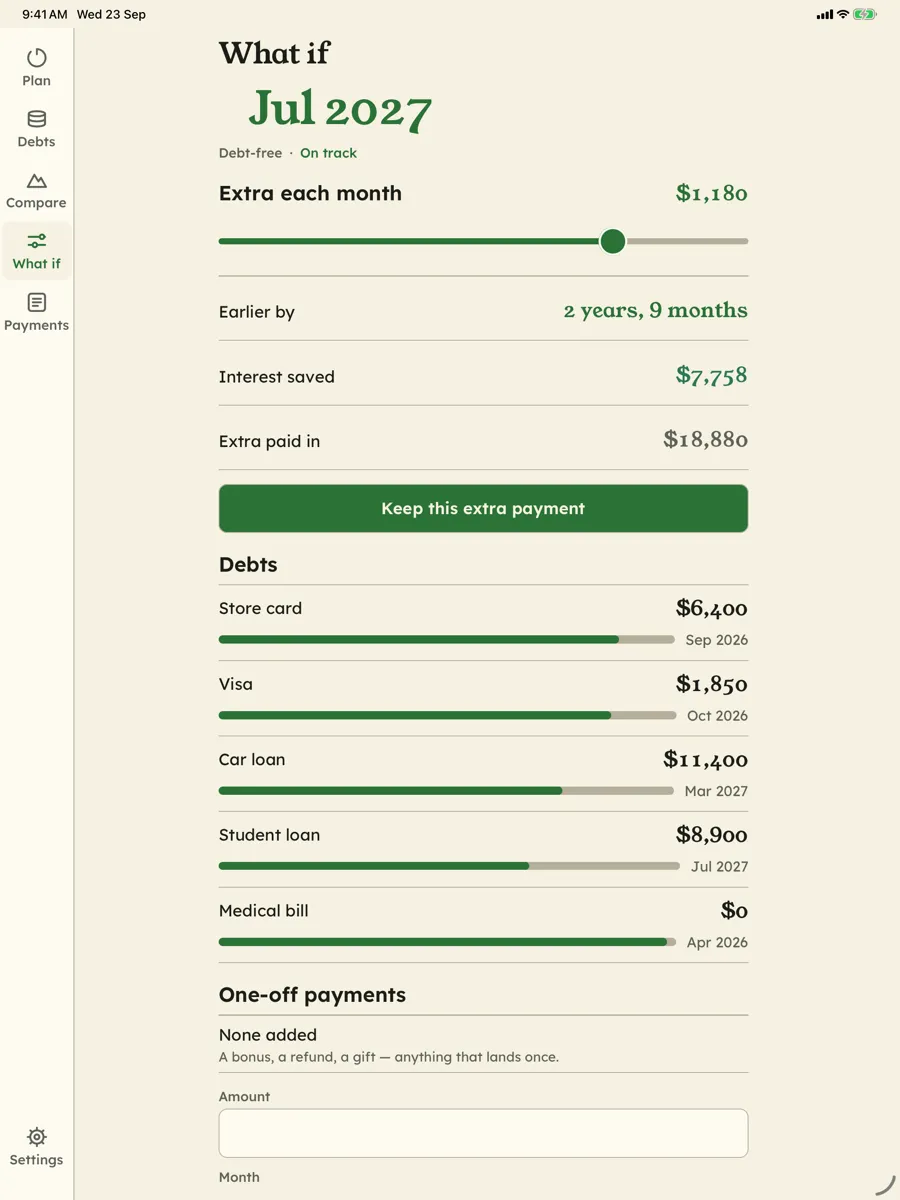
Drag the extra-payment slider and the entire schedule recomputes on every frame: the date rolls to its new month, the months saved count up, the interest you would not pay falls. Drop a one-off payment into a future month — a bonus, a tax refund — and see exactly what it buys.
There is no better argument for skipping something than watching what skipping it is worth, in months. Not “you shouldn’t”, but “that is eleven weeks”. You may still decide it is worth it; at least you decided knowing the price.
Snowball, avalanche, and why the app refuses to choose
Snowball clears the smallest balance first, so a whole debt disappears sooner. Avalanche pays the highest rate first, and is arithmetically the cheapest ordering of a fixed monthly pool — always. Paid in Full shows both side by side, with their debt-free month, interest, fees and first debt cleared, and states the trade-off out loud: avalanche costs less interest, snowball is more often finished.
The app does not pick one for you, and that is deliberate. You know things about yourself that a payment schedule does not. So there is a third option: arrange them in whatever order you like. There is no “recommended” badge anywhere in the app, and the code carries a comment saying there must never be one.
Tracking, without the scolding
Log what you actually paid and see a signed number — ahead of plan, or behind — with no streaks, no grades and no red banners. Being behind is the normal case, and an app that treats it as failure gets deleted in exactly the month you needed it.
What the log does give you is a record worth opening: progress bars per debt, a chart of what you owe over time, milestones as they arrive — the first debt closed, a quarter, half and three quarters repaid, debt-free — each with the day it happened or the month the plan expects it, and a history of every time your debt-free date moved, from what to what, and why.
The screen we did not soften
If a minimum payment does not cover a month’s interest, the balance grows and no schedule ever finishes. That is not an exotic input; it is an ordinary credit card in a bad year.
Paid in Full reports it. It says the plan never pays off and names the debts that are growing, rather than grinding out a comforting date ninety years away.
Arithmetic you can check
Every amount is a whole number of minor units: cents, pence, yen. There are no floating-point numbers anywhere in the money path. The rounding rule is stated once and tested: half-up, once per month, on exact integers — what a statement does — and tests assert that money paid in equals principal plus interest plus fees, to the cent.
The engine’s other choices are opinions, and the code says so: a simple monthly rate of APR ÷ 12 rather than daily compounding, interest rounded monthly, a payment order fixed for the whole plan, every payment on time. Each is defensible, and each will differ slightly from some lender’s arithmetic. This schedule is a model. Your lender’s statement is the authority.
What it is not
Paid in Full computes arithmetic on numbers you typed in. It is not financial advice: it never recommends consolidating, refinancing, or which debt to pay first — it presents the comparison and you choose. And it has no bank connection of any kind: no linking, no imports, no credentials, and no technical ability to acquire any.
Free, with a small ad
Every feature is free. A banner on the Debts and Settings screens pays for it, and now and then a full-screen ad after you save a payment — never over the Plan, the schedule or the simulator, and never after a payment that clears a debt. Nothing is sold: there are no in-app purchases.
Privacy, plainly
- No account, no server, no bank connection. Your debts are in a database on your phone. We do not have a copy and have no way to get one.
- No analytics, no crash reporting of ours. We cannot see how you use the app — there is nowhere for that data to go.
- Ads, disclosed. Google AdMob ads on the Debts and Settings screens. Consent is requested where the law requires it; on iOS, Apple’s tracking prompt comes only after a short explanation, never at launch; ad content is capped below the adult categories regardless.
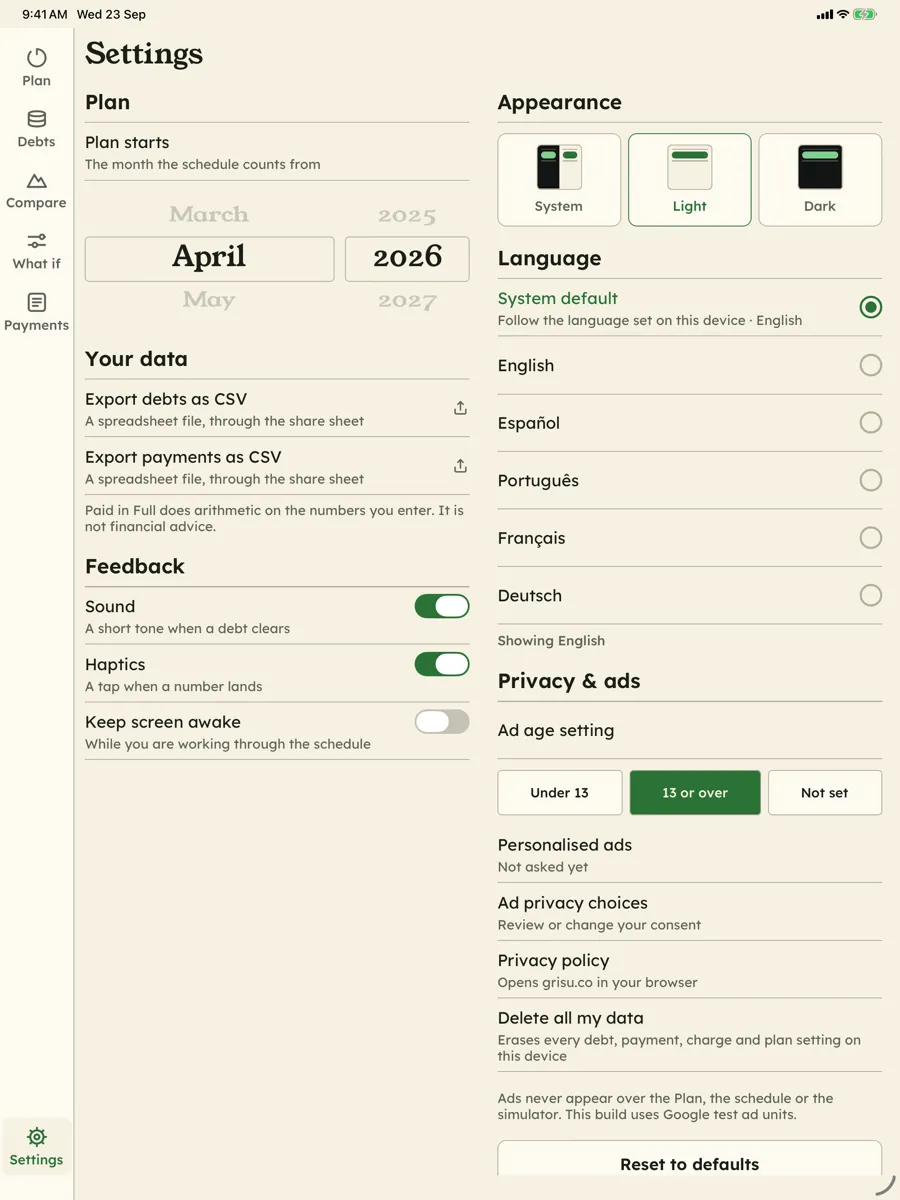
- Get your data out, or erase it. CSV export of the debts, the payments and charges, and the full schedule, handed to the system share sheet; Settings → Privacy & ads → Delete all my data erases everything on the device.
Full detail is in the privacy policy.


D'autres apps comme Paid in Full
-

Aubade: Daily Affirmations
Une phrase par jour, sur le papier et sur votre écran d'accueil.
-

Valise: Trip Planner & Split
Le plan, la carte et l'argent d'un voyage, dans une valise sur votre téléphone.
-

Quadrille: QR Scanner & Maker
Des codes QR comme objets de design : stylez-les, scannez-les, gardez-les.
-

Subledger: Subscription Log
Tout ce qui se renouvelle, sans connexion bancaire.